
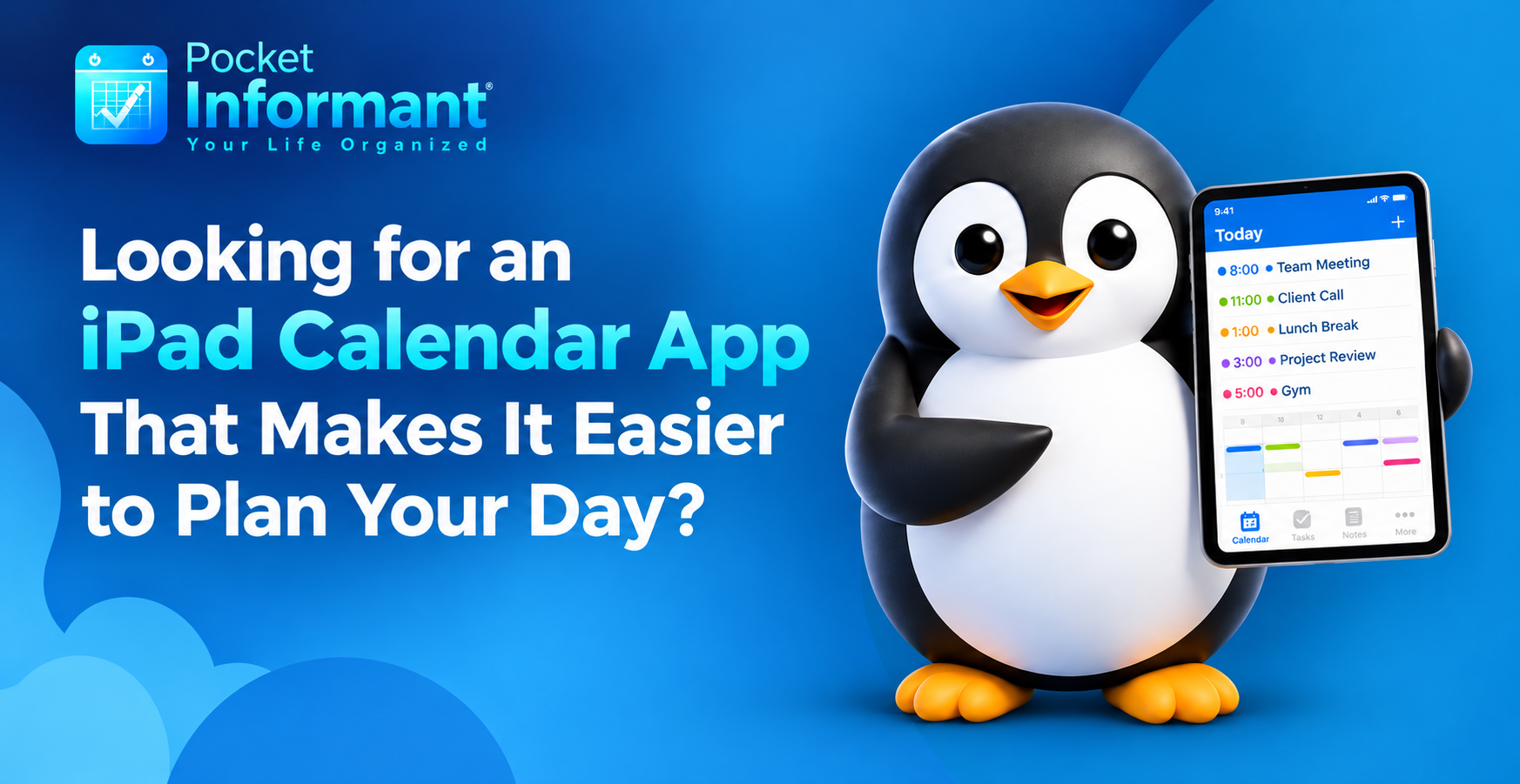
Keeping up with work commitments, personal appointments, family stuff and all the other things that go on in a day can be a real task when everything is all over the place. A missed appointment or a task you’ve simply forgotten can completely derail the day. A good calendar can help you to organize your time, prioritize your activities and go about your day with a great deal more confidence.
For those of you who prefer to plan on a tablet, choosing the right iPad calendar app can make a world of difference. The iPad has a huge screen, and it’s far easier to use than a phone so it’s a great platform on which to view your events, sort your to-dos and plan the week.
Pocket Informant helps to bring your calendar, your tasks and your daily planning all into one neat, organized experience so that you can keep track of what’s important.
Why does your day need to be better organized?
A full diary will invariably contain much more than just appointments. You’ll have project deadlines to deal with, meetings to prepare for, housework to get on with and personal objectives to work on. If you’re treating all of those as separate things, then it’s absolutely impossible to get any real sense of what your day actually looks like.
An organized calendar will obviously help you to see your commitments clearly and therefore allow you to work out how to use your time. Rather than constantly trying to remember what comes next, you can just look at your calendar and be ready for what’s coming up.
Better planning can also make a huge difference in reducing the stress of having to make last-minute decisions. If your tasks and appointments are easy to access, then you can see your available time, tweak your priorities, and come up with plans that are far more realistic.
The objective isn’t to fill every single hour of the day with some activity. It’s to create a schedule that will support your responsibilities and still leave you with some flexibility.
What should you be looking for in an iPad calendar app?
Not every planning tool is going to be right for every lifestyle. Before you go and pick a calendar app, think about what features would actually make your life easier on a day-to-day basis.
1. A simple calendar view
A good calendar should make it easy to get a handle on your schedule without any real effort at all. You should be able to look at your commitments on a day by day, week by week and month by month basis.
A daily view is useful if you’re trying to get on with the tasks at hand. A weekly view is useful for balancing your meetings and your deadlines. A monthly view gives you a broader view of what’s coming up.
When you’re looking at an iPad calendar app, the ideal one is one that enables you to find the information you’re after quickly and allows you to structure your time without creating any additional confusion.
2. Calendar and Task Management Together
Keep your calendar and task list in one place. This setup makes it easy to see deadlines and plan your day. You can add meetings, reminders, and to-dos in one view. This way, you avoid missing important tasks and can manage your time better. Use tools that let you move tasks around with a few clicks. This helps you stay flexible when plans change.
Managing your calendar and your tasks in one place is the way to stay organized. You can log your meetings, your deadlines and your to-dos all in one place rather than having to switch between a number of different tools. It saves time and reduces the risk of missing something. If you’ve got your tasks linked to dates, then you can plan your working week far more effectively and know what you need to be looking at each day.
Appointments and tasks are very much linked but serve quite different functions. An appointment is a notification of when something is going to happen. A task is a reminder of what you need to do.
For example, getting ready for a presentation could involve booking the meeting, gathering the information, creating the slides, and then, of course, submitting the final document. It’s a lot easier to link your plans to the actions you need to take if you’re doing it all in one go.
Pocket Informant brings calendar and task management together in one planning experience. The result is a far clearer picture of what you’ve committed to and what work is linked to those commitments.
3. Flexible planning to accommodate changing priorities
A perfectly structured day can still go tits up. Meetings can go on for ages, there can be a sudden burst of things that need doing, and of course personal commitments will always take up a bit of your time.
Your planning system should make it easy to adjust your schedule when things change. The ability to look at your upcoming commitments and re-prioritize your tasks is the way to stay on top of things without being shackled to some utterly unrealistic plan.
A flexible iPad calendar app can be used for this purpose (a handy place to check your commitments and make the requisite changes).
How can Pocket Informant help with your day-to-day life?
Pocket Informant is for people who want a more structured approach to their calendars and to-do lists. It’s not about treating each thing you have to do as a separate item. It’s about providing a planning environment in which you can work towards a better understanding of your own schedule.
Plan Your Workday With Greater Clarity
Start the day by looking at your appointments, working out what your most important tasks are and checking any deadlines that are coming up. That will give you a clear idea of what you need to be looking at first.
You can also use your calendar to spot the blocks of time when you have the opportunity to do some focused work. Rather than trying to do it all at once, you can build your routine around your existing commitments and end up with a far more realistic approach.
Balance Professional and Personal Commitments
Daily life doesn’t really have a sharp division between work and private life, does it? One day could easily see you off to a business meeting, off to see the doctor, off to the supermarket and then back home to a major project deadline.
Keeping all your commitments in one planning environment can go a long way to giving you a clear picture of your overall schedule. With Pocket Informant, you can look at your day-to-day planning with a much more integrated view of your commitments.
Build Consistent Planning Habits
Productivity doesn’t necessarily come down to complex systems or lengthy planning sessions. It’s often simply a matter of a few simple, consistent habits that make the biggest difference.
Review your schedule each morning, work out your top priorities, and check your commitments for the day before you go to bed. That’s all it really takes to be in a position where you’re far less likely to forget something important the next day.
Choosing an iPad calendar app that just fits in with your way of working will go a long way to making those habits much easier to maintain over time.
Is an iPad a good device for calendar planning?
An iPad is a very comfortable screen on which to view your schedule, check your to-dos and keep all your information in order. It’s also a very portable device and is ideal for people who are constantly on the move between home, work and all sorts of other places throughout the day.
Students can use the calendar to track their classes, their assignment due dates and their study sessions. Professionals can use it to manage their meetings, project milestones and work priorities. Families can use it to co-ordinate their activities, appointments and shared responsibilities.
The ideal setup is going to be very much down to your own individual requirements, your own daily routine and the way you personally like to plan. Pocket Informant is a very practical solution for those who want to bring their calendar and task management into their day-to-day working life.
Before you go ahead and commit to a planning routine, have a look at what’s available and see how it works in the context of your own schedule.
Frequently Asked Questions (FAQs)
-
What is an iPad calendar app used for?
An iPad calendar app will assist with booking appointments, organising your events, keeping track of key dates, and reviewing what’s coming up. It may also have task management and general planning capabilities depending on the particular app.
-
Can I do tasks and appointments together?
Yes, apps that combine calendar and task management can help you link your calendar events to the tasks you need to do in order to fulfil your obligations. Pocket Informant brings the planning functions together in one place.
- Is Pocket Informant suitable for personal and professional planning?
Pocket Informant is all about calendar and task management for everyday life. It can be used for work commitments, personal appointments, deadlines, and all the other stuff you’ve got to get on with.
-
How can I improve my daily planning routine?
Start with your schedule, work out your key tasks and allocate realistic amounts of time to your responsibilities. Check in on your progress throughout the day and…
5. How do I choose the right iPad calendar app?
Consider calendar views, task management capabilities, ease of use, and how well the application fits your daily routine. The right choice should make organizing your responsibilities simpler and more manageable.
Conclusion
A well-organized schedule can make everyday responsibilities easier to manage. From professional appointments and important deadlines to personal activities and long-term goals, having a clear planning system helps you understand where your time goes and what deserves your attention.
The right iPad calendar app should do more than display dates. It should help you organize commitments, manage tasks, adapt to changing priorities, and develop consistent planning habits.
Pocket Informant brings calendar and task management together to support a more structured approach to everyday life. By choosing a planning method that suits your needs and using it consistently, you can create a routine that feels more manageable, productive, and balanced.
Leave A Comment
You must be logged in to post a comment.